Print Management Software 101: What It Does and Why Your IT Team Will Love It

For most IT teams, printers generate more help desk tickets than almost any other piece of office infrastructure. Print management software changes that dynamic by giving IT administrators centralized control over every device on the network, the data to make informed fleet decisions, and the tools to shift from reactive troubleshooting to proactive management.

What Print Management Software Actually Does

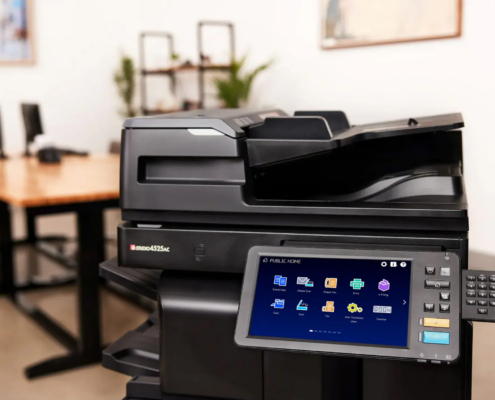
Print management software is a platform that sits between your users and your print devices, giving IT administrators full visibility and control over the entire print environment. Rather than fielding individual reports of paper jams, supply shortages, and offline devices, your team works from a centralized dashboard that shows the real-time status of every printer, copier, and multifunction unit on the network.

The software captures print behavior continuously, tracking who printed what, how many pages, in color or black and white, on which device, and at what cost per page. That data transforms print from an invisible overhead expense into a measurable, reportable part of IT operations, functioning as a managed print services intelligence layer that makes the print environment as visible and manageable as any other piece of networked infrastructure your team oversees.

Most platforms also include policy controls that let IT define print rules at the user, department, or device level. Restrict color printing to specific roles. Route large jobs to a designated high-volume device. Set monthly page quotas by department. These configurations reduce waste and give IT administrators direct control over print behavior across the organization without requiring hands-on involvement every time a poor print decision is made.


What IT Gets Out of the Software Day-to-Day

This is where print management software delivers the most tangible value for IT teams. A well-configured print management system provides three core capabilities that make day-to-day operations meaningfully easier.

Visibility Into Who Is Printing What

Print tracking software gives IT administrators a complete, real-time picture of print behavior across every department and location. Total page volumes, color-to-monochrome ratios, cost per page by device, utilization rates, and month-over-month trends are all visible from a single console. That visibility makes fleet right-sizing decisions straightforward: instead of estimating how many devices a department needs, you show them the numbers.

This same reporting layer supports enterprise print management at scale, making it practical to oversee a large, multi-location fleet without stationing IT staff at every site. Whether you are managing 10 devices or 200, the dashboard surfaces the same depth of information.

Centralized Device Management

Without print management software, managing printers across a distributed environment typically means responding to one device at a time as problems are reported. With it, IT administrators can monitor all devices from one interface, receive automatic alerts when consumables are low or a device goes offline, push firmware updates remotely, and deploy printer configurations across the network without visiting each machine.

Platforms like PrinterLogic eliminate the traditional print server infrastructure entirely, enabling serverless printing that reduces both hardware costs and IT overhead. End users can install any approved printer on the network themselves without submitting a ticket, which alone removes a significant volume of routine IT requests from the queue.

Secure Print Release

For organizations handling sensitive documents, unsecured output trays are a compliance and security risk. Print management platforms address this with secure print release: a document only prints when the user authenticates at the device through a badge tap, PIN entry, or mobile credential. This is particularly valuable for banking institutions and regulated environments that require an audit trail of who printed what, when, and where.

Secure print release also eliminates unclaimed print jobs, which cuts paper waste and supply costs without asking anything of employees beyond walking to the printer to release their own output.

Why It Reduces IT Workload Instead of Adding to It

The most common concern IT teams raise about print management software is that it sounds like another platform to deploy, configure, and maintain. That concern is understandable. In practice, however, organizations that implement the right solution consistently see the opposite effect. Here is what typically changes after implementation:

  • Printer-related support tickets drop because users can locate and install approved printers themselves, and supply alerts are automated rather than user-reported.
  • Firmware updates and configuration changes are pushed centrally rather than addressed device by device.
  • Issues surface in the dashboard before they become help desk calls, shifting the team from reactive troubleshooting to proactive management.
  • Fleet consolidation decisions become data-driven, reducing the total number of devices IT is responsible for supporting.
  • When device issues do require hands-on attention, the service and repair team already has full visibility into device history and status before a technician is dispatched.

The net effect is a print environment that demands less from IT while performing more reliably for everyone else.

If you are ready to spend less time managing printer problems and more time on the work that actually moves the needle, see how Print Image Solutions incorporates print management software into a fully managed service built around your environment.

The Tools Print Image Solutions Uses

Print Image Solutions deploys print management software through platforms including PaperCut and Vasion Print, matched to each client based on fleet size, security requirements, and workflow complexity. These are not tools your team purchases and figures out independently. They are part of the broader managed print relationship, which means Print Image Solutions handles deployment, configuration, and ongoing support while your IT team benefits from the reporting, controls, and visibility the software provides.

What this means in practice is that your administrators get access to the dashboard for policy management and usage reporting, and Print Image Solutions handles everything behind the scenes to keep the system and the fleet running. For organizations evaluating this model, our client case studies show how businesses across healthcare, financial services, legal, and manufacturing have reduced print costs and simplified IT operations through this approach.

Simplify Your Print Environment With Print Image Solutions

Print management software is not a complex IT project. It is a practical tool that brings structure and visibility to a part of the infrastructure that most organizations have never looked at closely. When it is deployed and supported by a partner who manages the print environment day-to-day, the benefit to IT is immediate: fewer tickets, cleaner reporting, and a fleet that runs the way the rest of your infrastructure is expected to.

Print Image Solutions works with businesses across our service locations to implement print management platforms that fit the way organizations actually operate. If your team is spending more time on printer problems than they should be, a complimentary 30-day print assessment is the fastest way to find out what is driving that and what it would take to fix it.

More Like This

Healthcare Staff Speaking Into Headset At Clinic Desk With Monitors